
How to Search Criminal Dockets
Begin at Utah Courts Xchange, the public search for Utah District and Justice Court case information. Select District, Justice, or both. A felony or Class A misdemeanor points first to District Court. Most Class B and C misdemeanors, infractions, and local ordinance cases point first to Justice Court. If the level is uncertain, search both and narrow the scope to Summit County or the relevant court location.
Name searches work best with a surname and first name plus a county, case type, or date filter. Xchange documents exact-name and wildcard searching. A known case number is more direct, but Utah case numbers are not unique statewide. Pair the number with Summit County, a court location, or a case type. The first two digits generally indicate the filing year.
- Open Xchange and choose District, Justice, or both jurisdictions.
- Enter the name or case number, then narrow the search to Summit County.
- Confirm the court location, case type, filing date, and party role in the result.
- Open Case History or Extended Case History and read entries in date order.
- Request a specific copy or recording from the correct court clerk when needed.
Summit Criminal Xchange Controls
The Xchange search screen separates jurisdiction from search scope. Jurisdiction asks whether the record is in District Court, Justice Court, or both. Scope can then limit a search statewide, by county, or by court. Other controls include case type, filing or disposition date range, citation number and location, and a birth-date field where it appears. Use only the least personal data needed to identify the correct public case.
The official Xchange help page explains that pressing Search uses a paid search credit. Broad searches can also return many similar names, with results capped and paginated. Review the fields before running another search. The county, court location, case type, filing date, and party code are the best checks against opening the wrong Summit County criminal docket.
What a Criminal Docket Shows
Utah's docket-like view is a chronology, not one verdict label. Xchange may show a printable summary, proceedings, filings, hearings, judgments, orders, outcomes, and public document links. Extended Case History can add criminal fields. Visibility varies with the case category, age, classification, and local data entry, so no single result is guaranteed to display every field.
| Case number | A court-context identifier, shown here generically as YY-[court sequence]; confirm county and location because it is not statewide-unique. |
|---|---|
| Charge | The filed description and class of each accusation. A charge alone is not a conviction. |
| Proceeding | A dated filing, hearing, court action, or other event in the sequence. |
| Plea | The date and nature of a plea, which is separate from the charge and final disposition. |
| Disposition | The dated outcome for a charge or case, read with later judgment and sentencing entries. |
Agency, officer, prosecuting agency, citation number, violation date, and account categories may also appear. Due, paid, fee, fine, trust, and balance figures describe the account. They do not decide the merits of the case.
Summit Charges, Pleas, and Outcomes
A common Summit County criminal docket mistake is to stop at the first charge line. The charge is the accusation placed before the court. A plea is a later response. The disposition records the outcome, and sentencing or judgment may appear in another later entry. Multiple counts can move differently, so each charge may have its own plea and disposition fields.
Charge A filed accusation or count, often paired with an offense class.
Plea The response recorded for a charge at a later stage.
Disposition The recorded resolution, which must be read with later orders.
Proceeding A dated court event in the Case History sequence.
Read all later entries before drawing a conclusion. A scheduled hearing may have been continued, a count may have been dismissed, or an order may have changed an earlier status.
Stages on a Criminal Docket
A Summit County criminal case can generate a series of events rather than a straight line. A filing or citation starts the public chronology. An initial appearance or arraignment may follow. Motions, conferences, and pretrial hearings can add more dates. The matter may resolve by plea, dismissal, or trial, with disposition, judgment, and sentencing entries added as the court acts.
Docket flow: Filing › Arraignment › Pretrial › Plea or Trial › Disposition › Sentencing
The sequence is a reading aid, not a promise that every case uses each step. A hearing listed on the calendar is only a setting until the history shows what occurred. For current settings, compare the history with the Summit County court calendar.
Summit Criminal Docket Workload
The Utah Judiciary's Summit District report provides a local snapshot for fiscal year 2023. It records 448 criminal filings and 407 dispositions. Within that total were 194 state felony filings, 118 other-misdemeanor filings, and 53 DUI filings. The figures describe work received and resolved by the court during that fiscal year.
A disposition percentage is not a win rate. A court can close a case filed in an earlier year, and one case can have several charges or events. These totals explain why careful court and case filters matter; they do not describe any person's record.
Which Court Holds Criminal Dockets
Third District Court holds Summit County felony and Class A misdemeanor records. The Clerk of Court for the Utah Third District Court keeps that district-level file. Summit County Justice Court handles most Class B and C misdemeanors, traffic matters, infractions, and ordinance cases, and its clerk or court staff keep that separate local docket.
Both public categories can feed Xchange, yet the search must include the right jurisdiction. Juvenile delinquency is handled by Juvenile Court and is generally excluded from public Xchange. Federal criminal cases are separate again and use District of Utah PACER, not a Utah state criminal case number. Calling the Summit Justice Court at 435-615-3800 or Third District Court at 435-615-4300 can resolve a court-level question.
Summit Criminal Access Channels
Xchange is only one route. Parties can use MyCase to link their own case, view filed papers, see a next appearance, pay balances, and manage notices. The statewide calendar answers scheduling questions. Public Xchange terminals are available at most District Court locations and some Justice Court locations; call first to verify Justice Court terminal access. The Utah State Law Library also provides free Xchange access.
For a specific filing, certified copy, hearing recording, or transcript, use the Utah Judiciary record-request process with the court, location, case number, date, and document description. Written delivery can follow the receiving court's current mail, fax, email, or drop-box instructions, but Utah Courts states that Xchange records themselves are not faxed or emailed. E-filing providers serve filers and are not public docket-search tools.
Blank Summit Criminal Searches
A blank result does not prove that no case exists. Check District and Justice jurisdiction, Summit County scope, alternate spelling, wildcard syntax, case type, and date range. Then consider coverage and classification. Juvenile, sealed, expunged, adoption, mental-health, and designated nonpublic criminal categories do not appear as ordinary public Xchange results.
Utah's 2026 expungement guidance adds a key distinction. MyCase may show “Case Expunged” for a linked party while Xchange no longer shows the case. The Bureau of Criminal Identification can retain separate information for authorized purposes. Public court visibility and another agency's custody are not the same thing.
The Utah Courts expungement page illustrates that change.
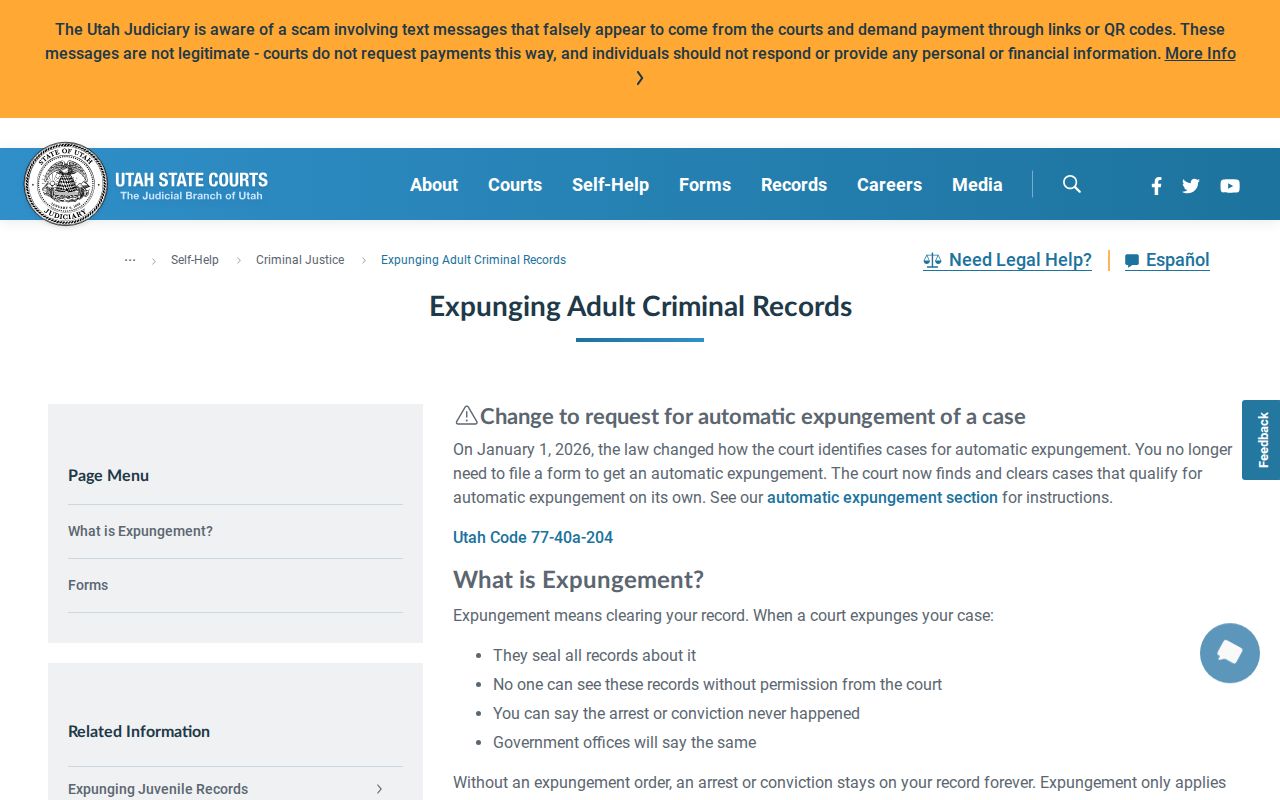
The official guidance helps explain why an absent public search result cannot support a claim about whether a matter ever existed.
Public Access and Sealed Criminal Dockets
Utah court records follow the Judicial Council's court-record rules rather than a county GRAMA request. Public records are generally open, subject to lawful fees and format limits. Private and protected records require a rule-based entitlement. Sealed material is restricted by rule or order, while expunged cases disappear from ordinary Xchange access.
Key Rules:
UCJA Rule 4-202.02 defines the public, private, protected, sealed, and other court-record classes.
UCJA Rule 4-202.03 governs who may access records in those classes.
UCJA Rule 4-205 addresses security and restricted storage, including expungement effects on an index or register.
A requester who has a lawful right to nonpublic material can use the official request form's entitlement section and provide supporting proof. Delivery by mail or electronic means does not expand access. Ask the correct clerk about the process, not for a way around a seal.